CDN rule
Add response headers at the CDN edge for `.m3u8`, `.ts`, `.m4s`, `.mp4`, `.aac`, `.vtt`, and key files to avoid an HLS CORS error.
An HLS CORS error can make a stream work in VLC but fail in a web m3u8 player when the server does not allow browser cross-origin requests. Fix the headers, then test the playlist and segments again.
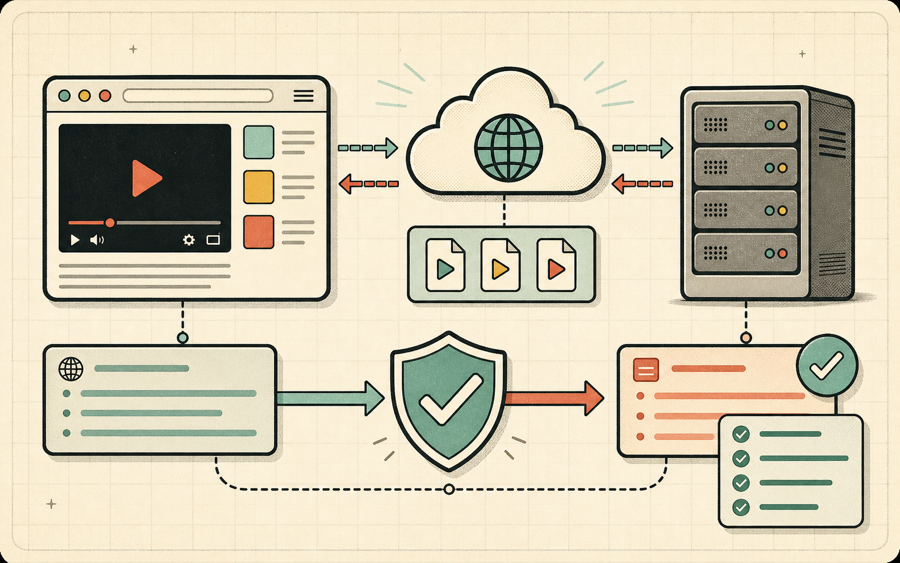
Browser video players must follow the same-origin and CORS rules enforced by the browser. hls.js needs to fetch the master playlist, variant playlists, media segments, keys, subtitles, and sometimes audio renditions with JavaScript. If the streaming server does not allow the website origin, the browser blocks those requests before the player can parse the response. That blocked request is the typical HLS CORS error.
Desktop players like VLC are not restricted in the same way, so a stream that works in VLC can still fail in Chrome, Edge, or Firefox. That does not always mean the playlist is invalid. It often means the server needs browser-friendly access-control headers to prevent an HLS CORS error.
| Resource | Needs CORS? | Why |
|---|---|---|
| Master playlist | Yes | The player must read variants and track metadata. |
| Variant playlist | Yes | The player must read segment URLs and durations. |
| Media segments | Yes | The browser fetches chunks through the media engine. |
| AES keys | Yes | Encrypted streams need key requests to succeed. |
| Subtitle tracks | Yes | WebVTT or subtitle playlists are fetched separately. |
For public test streams, use a precise origin when possible. During temporary staging tests, `*` can help isolate an HLS CORS error from other playback problems.

Access-Control-Allow-Origin: https://m3u8-player.app
Access-Control-Allow-Methods: GET, HEAD, OPTIONS
Access-Control-Allow-Headers: Range, Origin, Accept, Content-Type
Access-Control-Expose-Headers: Content-Length, Content-Range, Accept-Ranges
Timing-Allow-Origin: https://m3u8-player.app

After changing headers, clear CDN cache if needed and test again from the browser. The m3u8 player diagnostic log should move beyond manifest loading and begin showing fragment loaded events. If the HLS CORS error remains, test the master playlist, variant playlists, segments, keys, and subtitles separately.
An HLS CORS error is a browser security failure that happens when a web player is not allowed to read an HLS playlist or related media resource from another origin.

An HLS CORS error is not the same as a broken video file. It is a browser access-control decision. HLS playback in Chrome, Edge, and Firefox often depends on JavaScript and Media Source Extensions. The player has to request a master playlist, read variant playlists, choose media segments, and sometimes request audio tracks, subtitle files, or encryption keys. If any of those resources are hosted on a different origin and the server does not allow the requesting website, the browser blocks the response and the HLS CORS error appears.
The confusing part is that the same URL may work outside the browser. VLC, ffmpeg, and some native apps can request the stream without enforcing the browser origin model. That is why a stream can look valid in a desktop test while failing in a web m3u8 player. When a user reports an HLS CORS error, do not assume the playlist syntax is wrong. First check whether the server and CDN return the correct CORS headers for every resource in the playback chain.
The master playlist is only the first step. A common mistake is adding CORS headers to the top-level M3U8 file but forgetting variant playlists or `.ts` and `.m4s` segments. Another common mistake is allowing `GET` but not responding correctly to `OPTIONS` preflight requests. Some CDNs cache old headers, so the origin may be fixed while the edge still returns a response that triggers the HLS CORS error. Always test from the same browser environment after clearing or purging caches.
Range requests can also matter. Video playback often uses byte ranges or expects range-related response headers. If the browser cannot see headers such as `Content-Range`, `Accept-Ranges`, or `Content-Length`, debugging can become harder. Exposing useful headers does not replace `Access-Control-Allow-Origin`, but it helps the player and diagnostics report enough context to understand segment loading behavior.
Security policy should still be intentional. For a private production stream, do not simply use `Access-Control-Allow-Origin: *` without thinking through authorization. If the stream is meant to be public, `*` can be acceptable. If it is meant to work only on specific sites, allow only those origins. For testing with m3u8-player.app, allow `https://m3u8-player.app` and then remove or narrow the rule if your production security model requires it.
The fastest way to confirm an HLS CORS error is to reproduce it in the HLS player and copy the diagnostic report. If the event log stops during manifest loading, the top-level playlist may be blocked. If it stops after manifest parsed, a variant playlist or segment may be blocked. If fragments load and then playback fails, the cause may be codec or media related instead of CORS. The difference matters because each category points to a different owner and fix.
The exact syntax depends on your CDN or server, but the goal is the same: allow the browser player to fetch all HLS resources.
Add response headers at the CDN edge for `.m3u8`, `.ts`, `.m4s`, `.mp4`, `.aac`, `.vtt`, and key files to avoid an HLS CORS error.
Set headers at the origin server when CDN rules are not enough or when cache behavior strips access-control headers.
After updating headers, test in the HLS player and look for manifest parsed and fragment loaded events.
Use the narrowest origin that fits your product. Fixing an HLS CORS error should not accidentally expose private streams.
Common questions about fixing an HLS CORS error in browser-based playback.

An HLS CORS error happens when the streaming server does not allow the browser origin to read a playlist, segment, key, subtitle, or audio resource.
It should be present on every HLS resource the browser fetches, including master playlists, variant playlists, segments, keys, and subtitles.
For public streams, sometimes yes. For private streams, prefer a specific allowed origin and review your authorization model.
VLC is not restricted by browser CORS policy in the same way. A browser player needs explicit permission from the stream server.
Open the stream in the HLS player. The event log should show manifest parsed and fragment loaded events instead of stopping at a CORS-related error.
When you escalate an HLS CORS error, include the exact URL, the origin that tried to load it, the response headers, and the player diagnostic report. An HLS CORS error is easiest to fix when the CDN owner can see which resource is blocked. The HLS CORS error may be on the master playlist, a variant playlist, a segment, a subtitle file, or a key request.
Do not stop after fixing the first HLS CORS error. A stream can pass the master playlist request and then hit another HLS CORS error on a media playlist or segment. Test until the player shows fragment loaded events. If another HLS CORS error appears later, apply the same header rule to the missing resource type and purge CDN cache before testing again.
A reliable HLS CORS error fix covers the full playback chain. Check the HLS CORS error on the master playlist, then check the HLS CORS error on variant playlists, then check the HLS CORS error on segments, keys, subtitles, and alternate audio. When every resource returns the right access-control headers, the HLS CORS error should disappear from the browser player.
Keep the HLS CORS error workflow repeatable. Reproduce the HLS CORS error, update headers, purge cache, retest in the browser, and copy diagnostics. If the HLS CORS error moves to another resource, apply the same method until playback reaches fragment loaded events.
Treat every HLS CORS error as a resource-specific signal: HLS CORS error on the master playlist, HLS CORS error on variants, HLS CORS error on segments, and HLS CORS error on keys all need header coverage.