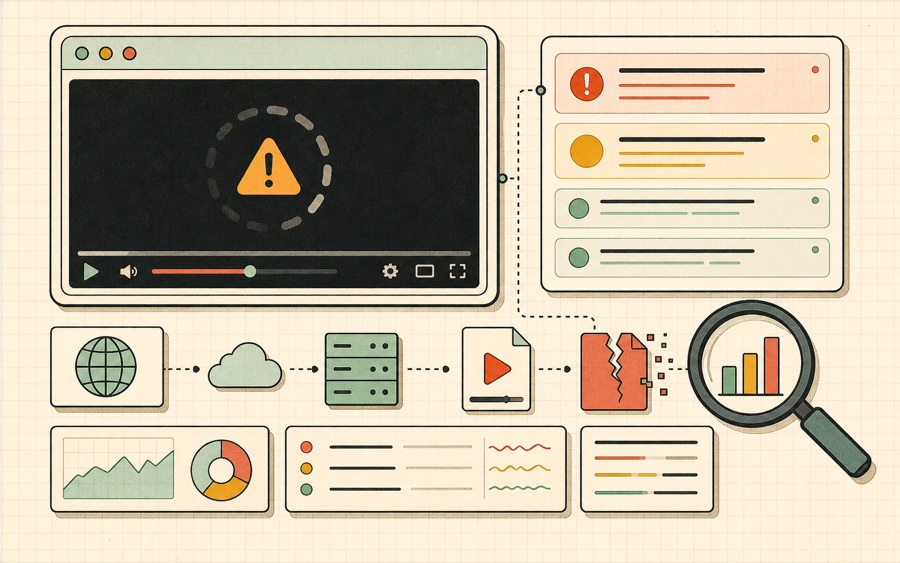
Use this IPTV player to preview public M3U8 channels, test IPTV playlist entries, save working streams, and copy diagnostics when a channel is offline, blocked, expired, or incompatible with browser playback.
HLS - Browser M3U8 Player
Online video
Use the controls above after loading a stream. Unavailable options explain what is missing.
No HLS events yet. Press Play or choose a demo stream to start diagnostics.
Example M3U8 Links (Click to Use)
1
Tears of Steelhttps://demo.unified-streaming.com/k8s/features/stable/video/tears-of-steel/tears-of-steel.ism/.m3u8
Website embed
Embed Player on Your Website
Generate a lightweight iframe snippet for a public HLS URL. The generated code points to m3u8-player.app and gives publishers, documentation teams, and developers a quick way to share an m3u8 player preview from any website, help center, or internal dashboard.
Responsive 16:9 iframe layout for articles and docs.
URL encoding keeps signed query strings intact.
Useful for demos, support notes, stream QA, and customer handoff.
iframe code generated.
Share this stream
Generate a QR code image that opens this stream in M3U8 Player.
Use this IPTV player before editing a playlist
IPTV links often fail because of geo-blocking, expired tokens, missing CORS headers, or offline channels. This IPTV player keeps the playback workflow close to the diagnostic output so you can separate a broken channel from a browser policy issue.
Preview channels
Open the List panel, add a URL or import a small M3U file, then use the IPTV player without leaving the browser.
Save working streams
Recently played and favorites are stored locally, so useful public IPTV player test channels can be reopened quickly.
Copy failure reports
When a channel fails in the IPTV player, copy the diagnostic report and check whether the issue is CORS, 403, 404, codec, or network related.
What is an IPTV player?
An IPTV player is a video player used to preview television-style streams delivered over internet protocols. Many IPTV channels are distributed as M3U8 links inside M3U playlists, which means an IPTV player often needs the same HLS support as a developer HLS player. The difference is the user workflow. A developer may test one stream from a CDN log, while an IPTV user may test many channels from a playlist and decide which links are worth keeping.
This IPTV player focuses on channel verification. Paste a public M3U8 channel URL, import a small M3U file, open a channel, and watch the diagnostic panel. When the IPTV player sees a failure, it gives a category and a next step. That matters because a channel that is offline, geo-blocked, expired, missing CORS headers, or encoded with unsupported codecs may all look like the same black player to a viewer.
Paste a channel URL.The IPTV player accepts public M3U8 stream links.
Use the List panel.Add channels manually or import a small M3U file for quick preview.
Save useful links.Use favorites and recently played to keep working test streams nearby.
Copy diagnostics.When a channel fails, send the IPTV player report to the playlist owner.
Why an IPTV player needs diagnostics
A basic IPTV player only says whether a channel plays. A diagnostic IPTV player explains what happened while the channel was loading.
IPTV playlists are messy in real life. A single M3U file can contain working channels, duplicate channels, expired channels, regional channels, channels that require a specific referrer, channels that use a token, and channels that simply went offline. If an IPTV player only provides a video box, the user has to guess why a channel failed. This IPTV player makes the first diagnosis visible by showing the host, manifest status, event log, quality levels, and latest error classification.
The most common IPTV player problem is not the player itself. It is access. Many channel URLs are temporary, private, or region-limited. A 403 error often means the channel requires a token, cookie, IP allowlist, or referrer. A 404 error may mean the playlist entry is stale. A CORS error means the channel might work in some desktop apps but not in a browser IPTV player because the server does not allow JavaScript playback from this origin.
Another common IPTV player issue is stream packaging. A channel may publish a master playlist that points to several variants, or it may publish a media playlist that points directly to segments. If the segment paths are relative and the playlist is moved or proxied incorrectly, the IPTV player may load the playlist and then fail on fragments. That is why the event log is useful: it helps identify whether the failure happened at the manifest stage or later during segment loading.
Codec support also matters. Browser IPTV player workflows generally work best with H.264 video and AAC audio. Some IPTV sources use codecs, audio layouts, or containers that are accepted by desktop players but not by every browser. When the IPTV player classifies a media or codec error, the next step is usually to test a more compatible channel or ask the stream owner to provide a browser-friendly rendition.
This IPTV player is intentionally browser-based because that is the environment where website embeds, help desks, and web dashboards need to work. It does not promise to bypass geo-blocking, DRM, paywalls, or private authorization rules. It gives a clearer answer for public or authorized streams and helps you decide whether a link belongs in a cleaned playlist.
IPTV player checklist
Use this checklist when testing channels before adding them to a larger playlist manager.
Check
What the IPTV player shows
Decision
Channel URL shape
Valid HTTP or HTTPS URL
Keep testing if the URL is complete.
Manifest request
Manifest status and event log
Remove or refresh links that return 403 or 404.
Segment loading
Fragment loaded events
Keep channels that load fragments consistently.
Browser compatibility
Media or codec error category
Prefer H.264/AAC channels for web playback.
Repeat use
Recently played and favorites
Save working public streams for future checks.
IPTV player FAQ
Answers for users testing IPTV channels in a browser.
Is this IPTV player free?
Yes. This IPTV player is free for testing public or authorized M3U8 channel URLs.
Can this IPTV player open an M3U file?
Yes, the List panel can import simple M3U or M3U8 text files and show playable stream URLs.
Why does a channel work in another app but not here?
A browser IPTV player must follow CORS and codec rules. Desktop apps may not enforce those restrictions in the same way.
Does the IPTV player store my playlist online?
No. Playlist, recent, and favorite data are stored locally in your browser.
Can this IPTV player bypass geo-blocks?
No. The IPTV player is for authorized testing and cannot bypass stream owner restrictions.
Choosing an IPTV player for daily checks
A practical IPTV player should be fast enough for quick channel checks and clear enough for troubleshooting. Use this IPTV player when you need to confirm whether an IPTV player link is public, whether the IPTV player can fetch segments, whether the IPTV player sees browser errors, and whether the IPTV player report gives enough evidence for the playlist owner.