No HLS events yet. Press Play or choose a demo stream to start diagnostics.
Example M3U8 Links (Click to Use)
1
Tears of Steelhttps://demo.unified-streaming.com/k8s/features/stable/video/tears-of-steel/tears-of-steel.ism/.m3u8
Website embed
Embed Player on Your Website
Generate a lightweight iframe snippet for a public HLS URL. The generated code points to m3u8-player.app and gives publishers, documentation teams, and developers a quick way to share an m3u8 player preview from any website, help center, or internal dashboard.
Responsive 16:9 iframe layout for articles and docs.
URL encoding keeps signed query strings intact.
Useful for demos, support notes, stream QA, and customer handoff.
iframe code generated.
Share this stream
Generate a QR code image that opens this stream in M3U8 Player.
Ready-to-test URLs
Public sample M3U8 stream list
Start with a normal VOD playlist, then compare adaptive bitrate and high-resolution examples. Availability belongs to each external host and may change.
A sample M3U8 stream gives you a known public playlist before you test your own encoder, CDN, signed URL, or IPTV source. Copy one complete URL from the table, paste it into the M3U8 player above, and press Play. A successful test should load the manifest, attach the media source, request several video segments, and begin playback. If the playlist contains multiple variants, the quality selector should show more than one level.
Use one variable at a time. First confirm that a public sample plays in the same browser and network where your private stream fails. If the sample works, the player and basic browser support are probably healthy. The remaining problem is more likely related to your stream host, CORS headers, authorization, playlist syntax, segment URLs, or codecs. If both the public sample and your stream fail, check browser extensions, corporate filtering, VPN behavior, device support, and the browser console.
Choose a sample.Use a normal VOD stream first, then test 4K or alternate examples.
Paste the full URL.Do not remove the .m3u8 filename, path, or query parameters.
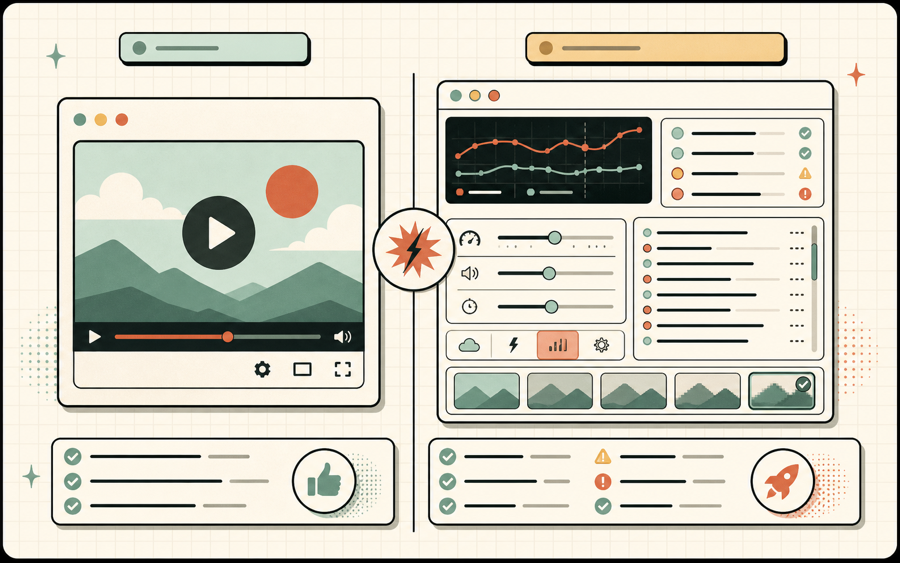
Watch diagnostics.Confirm manifest, level, fragment, audio, and playback events.
Compare your stream.Repeat the same test with your authorized URL and compare the first failing stage.
What each HLS sample helps you verify
Different playlists reveal different player, network, and packaging behavior.
VOD
Basic playback
Big Buck Bunny and Tears of Steel are useful baseline samples for manifest loading, seeking, pause, resume, and normal video-on-demand playback.
ABR
Adaptive bitrate
A master M3U8 playlist can expose multiple quality variants. Confirm that Auto mode and manual quality selection both see the available ladder.
4K
High resolution
The Mux 4K sample helps test whether the browser, display, decoder, and network can sustain larger renditions without repeated buffering.
WEB
Browser support
Apple BipBop is useful when comparing native Safari HLS playback with hls.js playback in Chrome, Edge, or Firefox.
How to read a sample M3U8 playlist
An M3U8 file is readable text. Its tags explain whether it is a master playlist or a media playlist.
Every valid HLS playlist begins with #EXTM3U. A master playlist usually contains #EXT-X-STREAM-INF entries followed by variant playlist URLs. Those entries describe bandwidth, resolution, codecs, and sometimes frame rate. A player reads the master playlist, chooses a suitable variant, and can switch levels when bandwidth or buffer conditions change. When you use an adaptive sample M3U8 stream, inspect whether the player detects the same number of levels that appear in the source text.
A media playlist normally contains #EXTINF duration lines followed by media segment paths. Video-on-demand playlists end with #EXT-X-ENDLIST, while live playlists continue changing as new segments become available. Relative segment paths are resolved against the playlist URL. If a copied playlist is moved without its segments or base path, the manifest may load while every fragment returns 404.
The MIME type also matters. Servers commonly return application/vnd.apple.mpegurl or application/x-mpegURL for an M3U8 playlist. A sample may still work with another text type, but correct headers reduce ambiguity across players and proxies. Media segments need appropriate types too. When building your own HLS delivery, compare its response headers with a working sample stream.
Public examples are diagnostic references, not uptime guarantees. A third-party demonstration host can move a file, change CORS policy, rate-limit traffic, or discontinue an asset. Keep more than one sample in your test plan. If one URL fails, try another host before concluding that the browser or player is broken.
Sample stream troubleshooting matrix
Use the first visible failure to choose the next check.
Symptom
Likely cause
Next step
Playlist request is blocked
CORS, DNS, mixed content, firewall, or host outage
Check the network request and test another sample host.
Manifest loads but no quality appears
The URL is a media playlist, or the master contains one rendition
Open the source text and look for EXT-X-STREAM-INF.
Fragments return 404
Broken relative paths or removed media segments
Resolve one segment URL against the playlist location.
Video plays without audio
Unsupported audio codec, alternate track issue, or muted output
Inspect audio tracks and compare an H.264/AAC sample.
Playback repeatedly buffers
Rendition bitrate exceeds available bandwidth
Select a lower level and inspect segment download time.
Using sample streams in development
A repeatable reference stream makes player changes safer and bug reports more useful.
Keep a small test matrix that covers a basic VOD stream, an adaptive master playlist, a high-resolution example, and a stream from a second CDN. Run the same matrix after upgrading hls.js, changing player controls, modifying Content Security Policy, deploying a service worker, or changing proxy behavior. Record which browser and device you used because native HLS and Media Source Extensions do not behave identically.
For automated checks, verify more than HTTP 200. Confirm that the response begins with #EXTM3U, parse referenced playlists, request representative segments, and measure startup time. A URL can return 200 with an HTML error page, login form, or JSON message. The player needs valid HLS text and reachable media, not only a successful status code.
Do not use a public demonstration URL as the permanent media source for a production product. Sample streams are shared infrastructure meant for testing and education. Host your own authorized assets, set correct CORS and cache headers, monitor availability, and define a bitrate ladder appropriate for your audience. The samples on this page are most valuable as comparison points during development and troubleshooting.
Sample M3U8 stream FAQ
Quick answers for common HLS example and test URL questions.
What is a sample M3U8 stream?
A sample M3U8 stream is a public HLS playlist published for playback, development, or compatibility testing.
Can I use these M3U8 URLs in my player?
Yes. These public demonstration streams are useful for authorized browser and application tests, although third-party hosts can change availability.
Why does a sample stream fail in my browser?
The host may be unavailable, CORS may block the request, the browser may not support a codec, or a network policy may prevent playback.
Which sample should I test first?
Big Buck Bunny is a practical first test. Use the Mux 4K demo for resolution switching and Apple BipBop for a widely recognized HLS example.